🛠️ 2. Siebel Tools vs Web Tools
Sub-topic 2 of 9
22% Complete
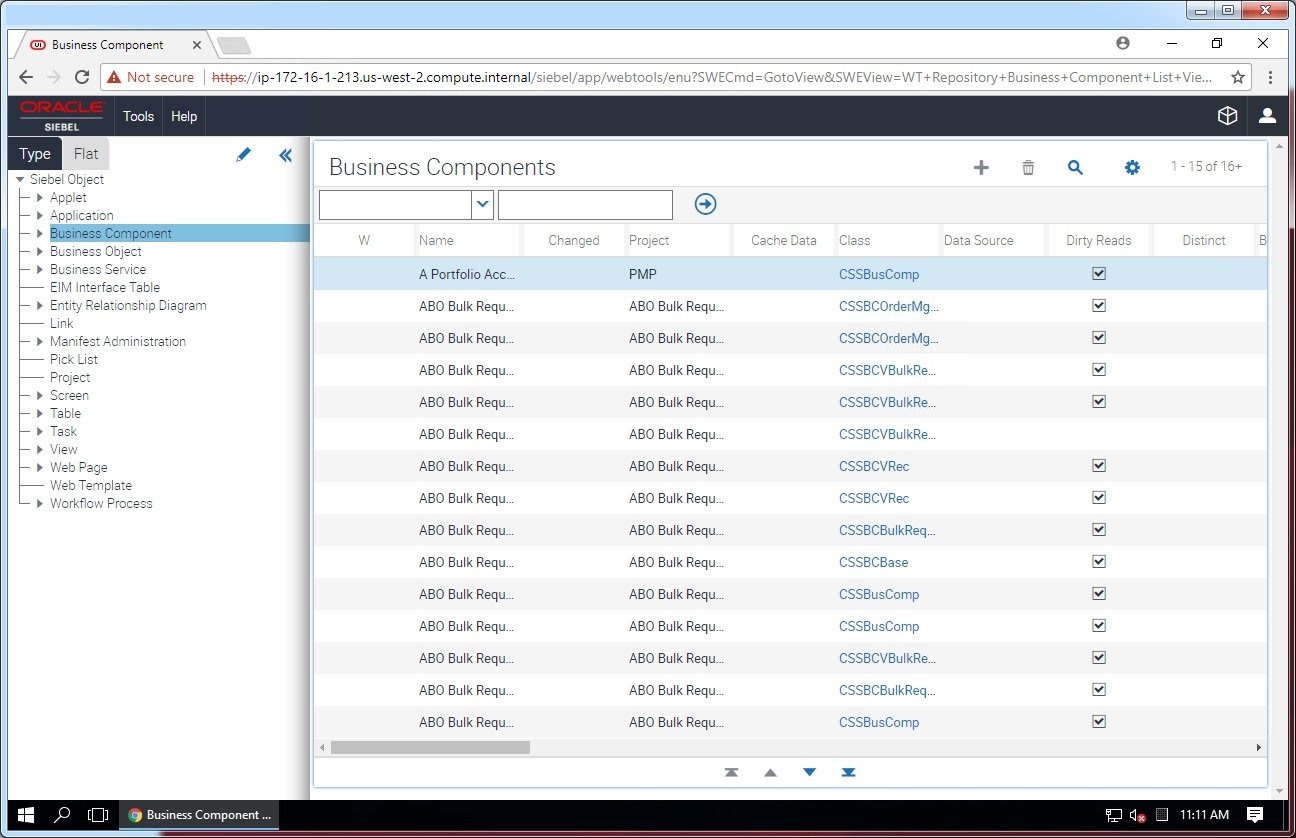
Historically, Siebel configuration required Siebel Tools - a Windows desktop application. With modern releases, Oracle introduced Web Tools, bringing configuration to the browser.
Siebel Tools (Legacy)
Windows Desktop Application
Pros:
- Full access to all repository objects
- Advanced search and filter capabilities
- Direct database connection for complex operations
Cons:
- Windows-only (no Mac or Linux support)
- Requires local installation and setup
- No workspace support (single-user locking model)
When to use: Advanced scenarios, bulk operations, or if you're on a pre-IP17 version
Siebel Web Tools (Modern)
Browser-Based Configuration
Pros:
- Workspace support: Multiple developers can work simultaneously
- Browser-based: Access from any device, any OS
- Versioning: Built-in checkpointing and rollback
- Change tracking: Audit trail of all modifications
- Easier learning curve: Familiar web UI
Current limitations:
- Some advanced objects still require Siebel Tools
- Bulk operations are more limited
When to use: All routine configuration work on modern systems