🧭 6a. Siebel UI Navigation
Sub-topic 6 of 6
100% Complete
Siebel UI is organized into Site Map, Screens, Views, and Applets.
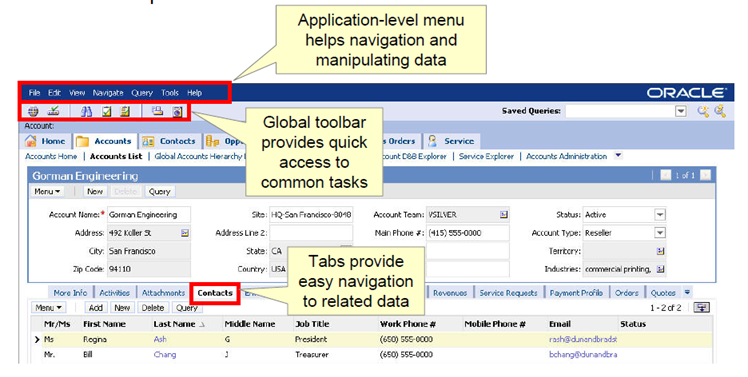
UI Hierarchy
1. Site Map
Top-level menu (e.g., Service, Sales, Marketing). Click to reveal Screens.
2. Screen
A functional area (e.g., "Service Requests"). Contains multiple Views.
3. View
A specific layout (e.g., "All Service Requests List"). Contains one or more Applets.
4. Applet
UI component displaying data (List, Form, Pick, Chart). The building block of Views.
Common Actions
- New: Create a record (SR, Contact, etc.)
- Query: Search/filter records in a list
- Drill Down: Click a record to open detail view
- Related: Access child records (Activities, Assets, etc.)